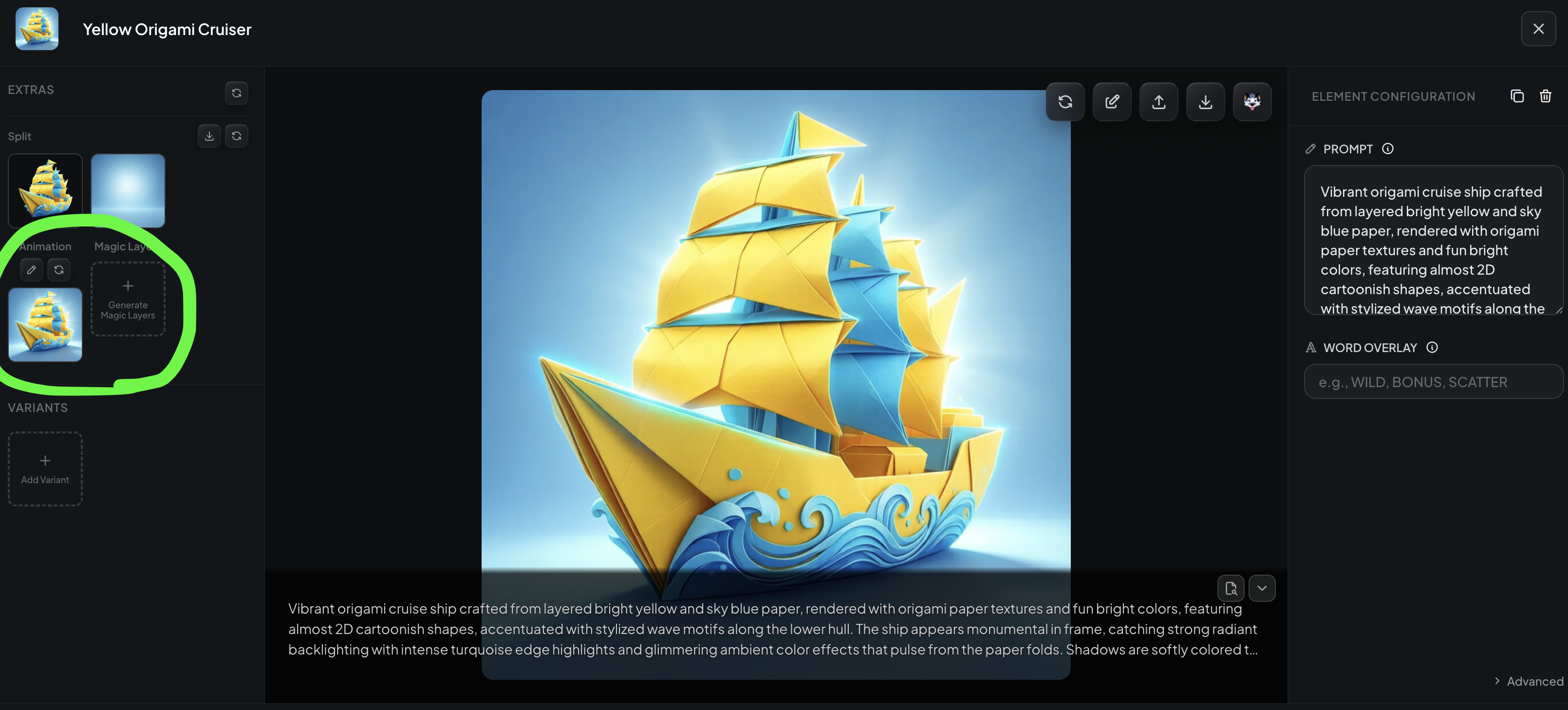
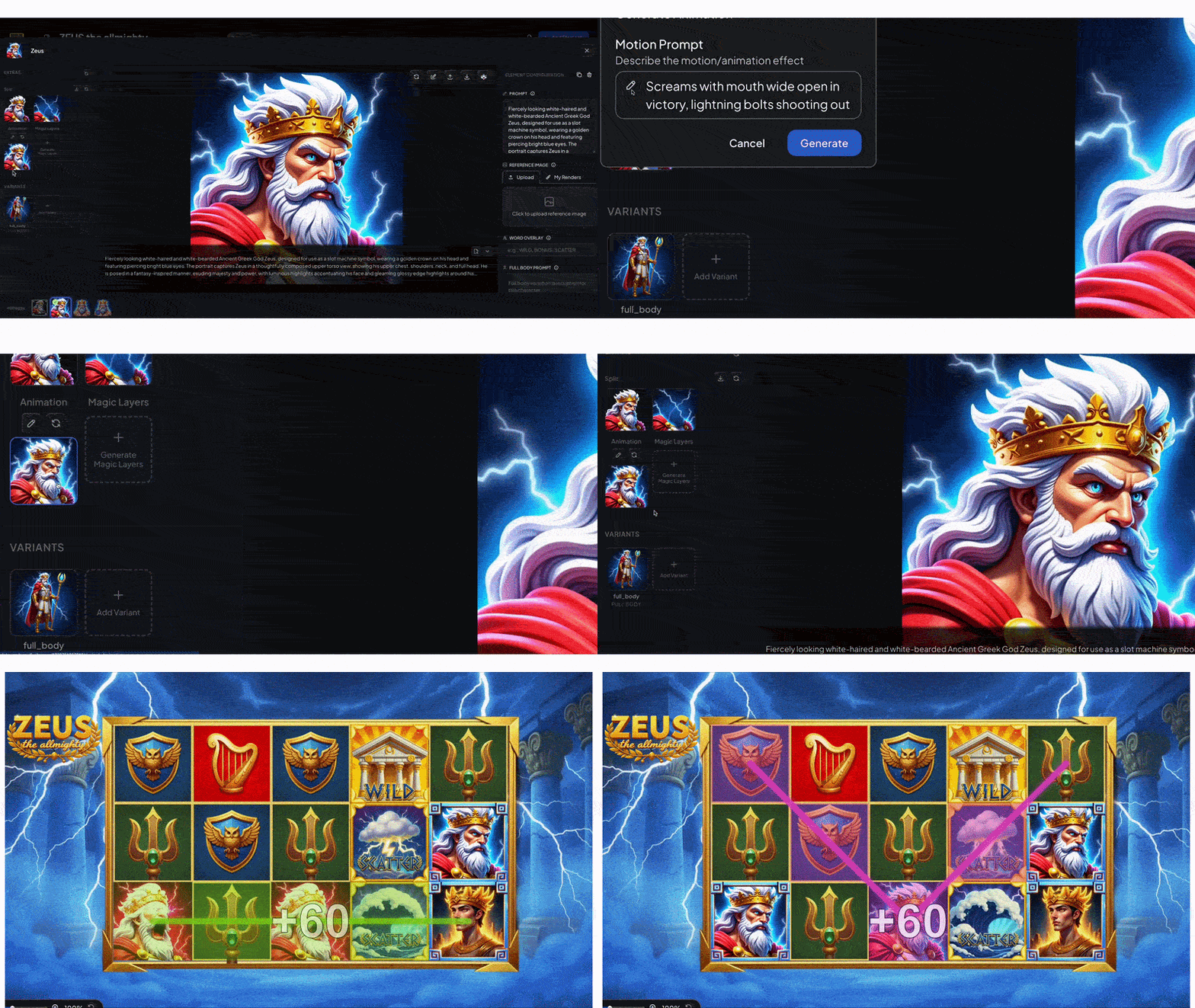
Our latest feature lets you add animations to your Slot Game prototypes right inside Slots Studio! You can create win animations for each slot symbol separately, which will play whenever that symbol features in a winning pay line. You can also create idle animations for the game background, that will play continuously in the game. Follow the steps below to understand how!
These are the animations that play when a slot symbol features in a winning combination. Imaging characters coming to life to enthrall players or symbols that flash and sparkle to convey big wins and earnings! Slots Studio lets you create a win animation for any symbol you want.
Tip: Depending on your payline and win configurations, you might end up having to wait a while to see your symbol win. To avoid that, go to the configure tab and set your symbol to win even when one instance of the symbol shows up on the reels. Save, and go back to the Preview tab. You should now see the symbol show up fairly quickly in one of your turns :)
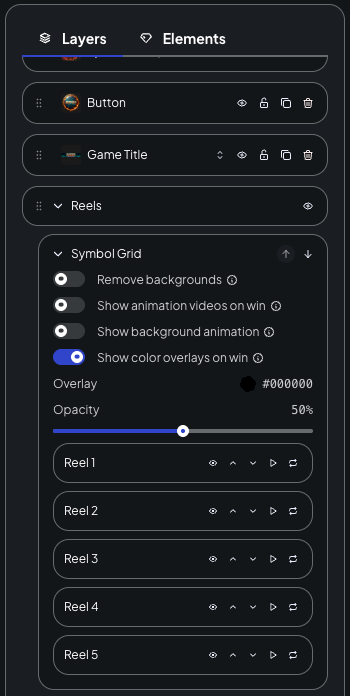
Note: You will also see a toggle on the Symbol Grid layer that says "Show Animation Videos on Win", which is on by default, but you can turn it off
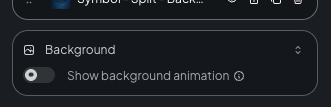
You can follow the exact same steps as you do for Symbols, with Background element types as well. The objective here is to create an animation clip for the background that loops all through game play. Use prompts such as "A leaf falls gently in an autumn landscape" or "Fireflies glow in the dark intermittently" to capture the spirit of idle animations. Then, go to the Preview. to see the idle animation in action! You will find the toggle for the Background animation on the Background layer in the Preview tab.
Oh, and one more thing. All of your animations will play even in the published version of your game! Go ahead and share your published game links with your peers and stakeholders and let them see your amazing work for themselves! :)
If you need more inspiration, check out some example games and animations that our team of artists built using Slots Studio.