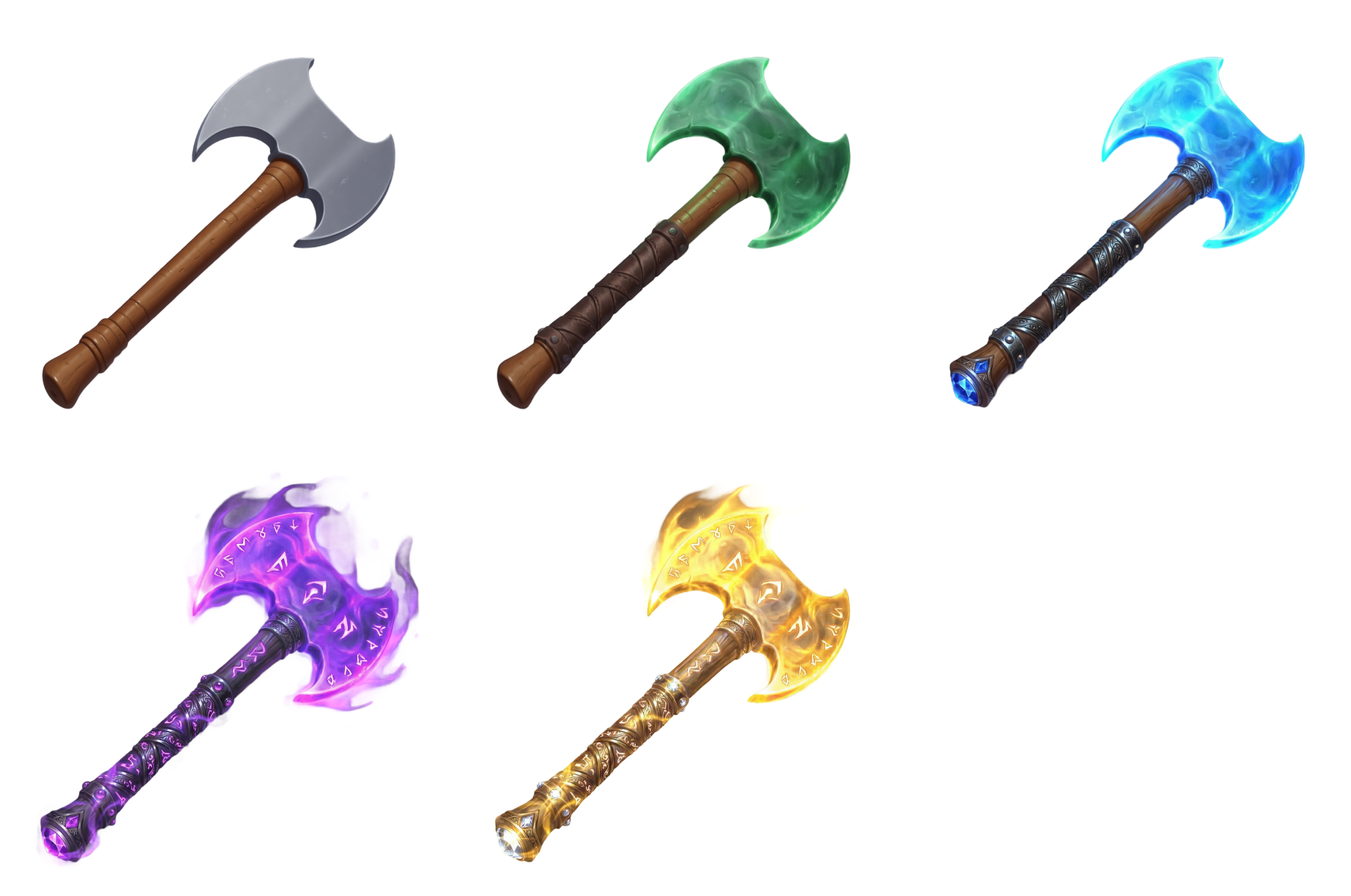
If you're building a loot-based game, gacha system, or any RPG with item progression, you know this drill. Your concept artist designs one beautiful weapon, and then the real grind begins: producing 4-5 visually distinct rarity tiers of the same item, each more elaborate than the last.
Common is plain steel. Uncommon adds some color and material upgrades. Rare brings in glowing elements. Epic gets magical effects and particles. Legendary goes full spectacle with gold, diamonds, and blazing energy.
Each tier needs to feel like a clear step up, while still reading as the same weapon. That means carefully layering effects, upgrading materials, and adding particle work without losing the silhouette. A senior artist can spend 3-5 hours producing a full rarity progression for a single item. For a game with 50+ weapons, that's weeks of production time on variation work alone.
What if you could describe the whole progression in plain language and have an AI agent build it for you?
Here's the exact prompt we gave Woofy:
"I need a fantasy battle axe in five rarity tiers. Start with a basic Common version -- plain steel, wooden handle, nothing fancy. Then make it progressively more premium: Uncommon gets a green jade tint and subtle glow. Handle also gets an upgrade from wood. Rare should have glowing blue crystal edges and a gemstone in the pommel and improved handle material. Epic needs to feel magical -- purple aura, arcane runes, floating particles. And Legendary goes all out -- gold, diamonds, blazing golden energy, the works. Remove all the backgrounds and line them up Common to Legendary so you can see the progression."
Just a description of what each rarity tier should look like.
Woofy started by selecting her Text to 2D Image tool with the Casual Mobile Game style to generate the base weapon: a plain steel battle axe with a wooden handle. Simple, utilitarian, exactly what a Common-tier drop should look like.
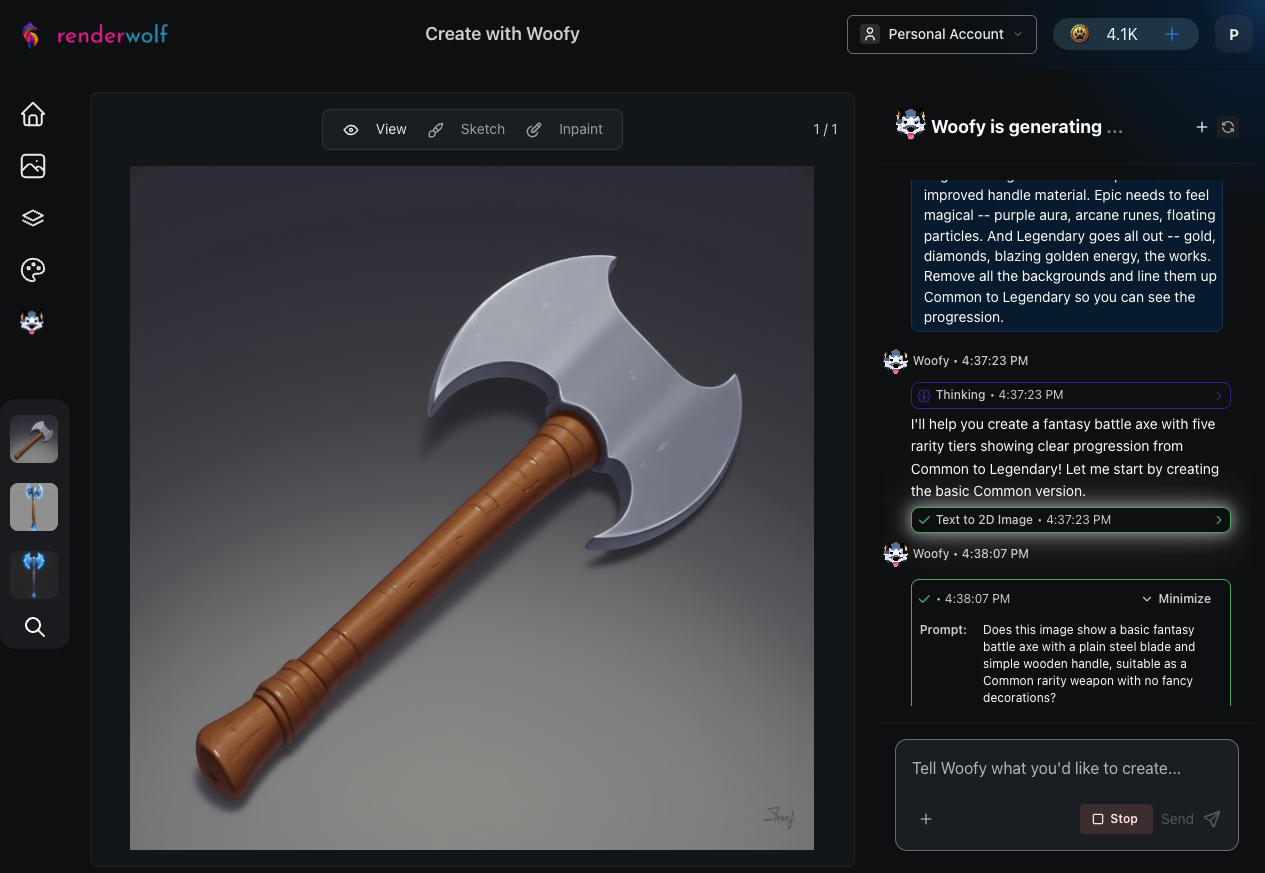
After generation, Woofy ran an automatic quality evaluation using Gemini to confirm the image matched the prompt before moving on. This quality-check pattern repeated after every single tier.
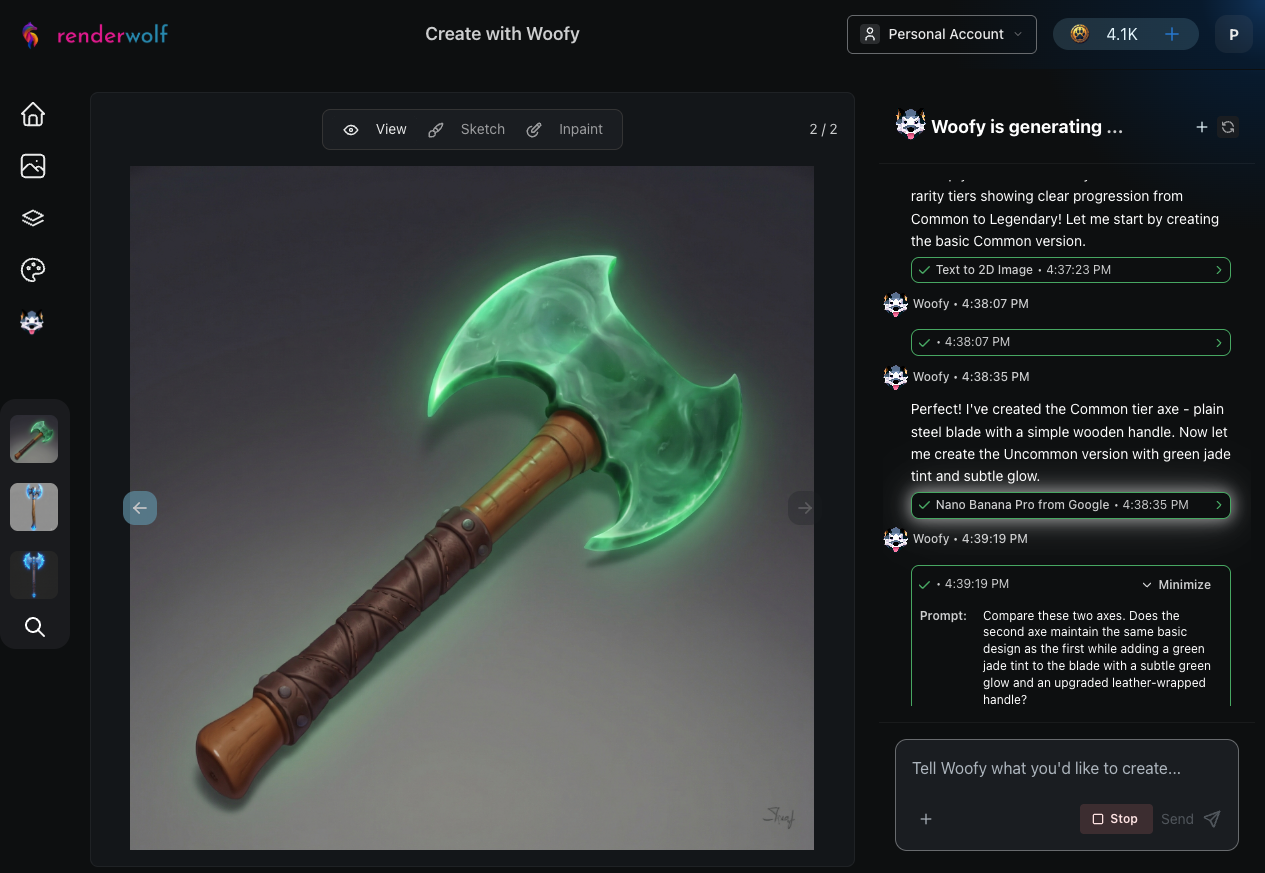
For each subsequent rarity tier, Woofy selected Nano Banana Pro from Google, an image editing model that takes the original as a reference and applies targeted modifications while preserving the core design.
Uncommon: Green jade blade with a leather-wrapped handle replacing the plain wood. The silhouette stays the same, but the materials tell you this one is a step up.
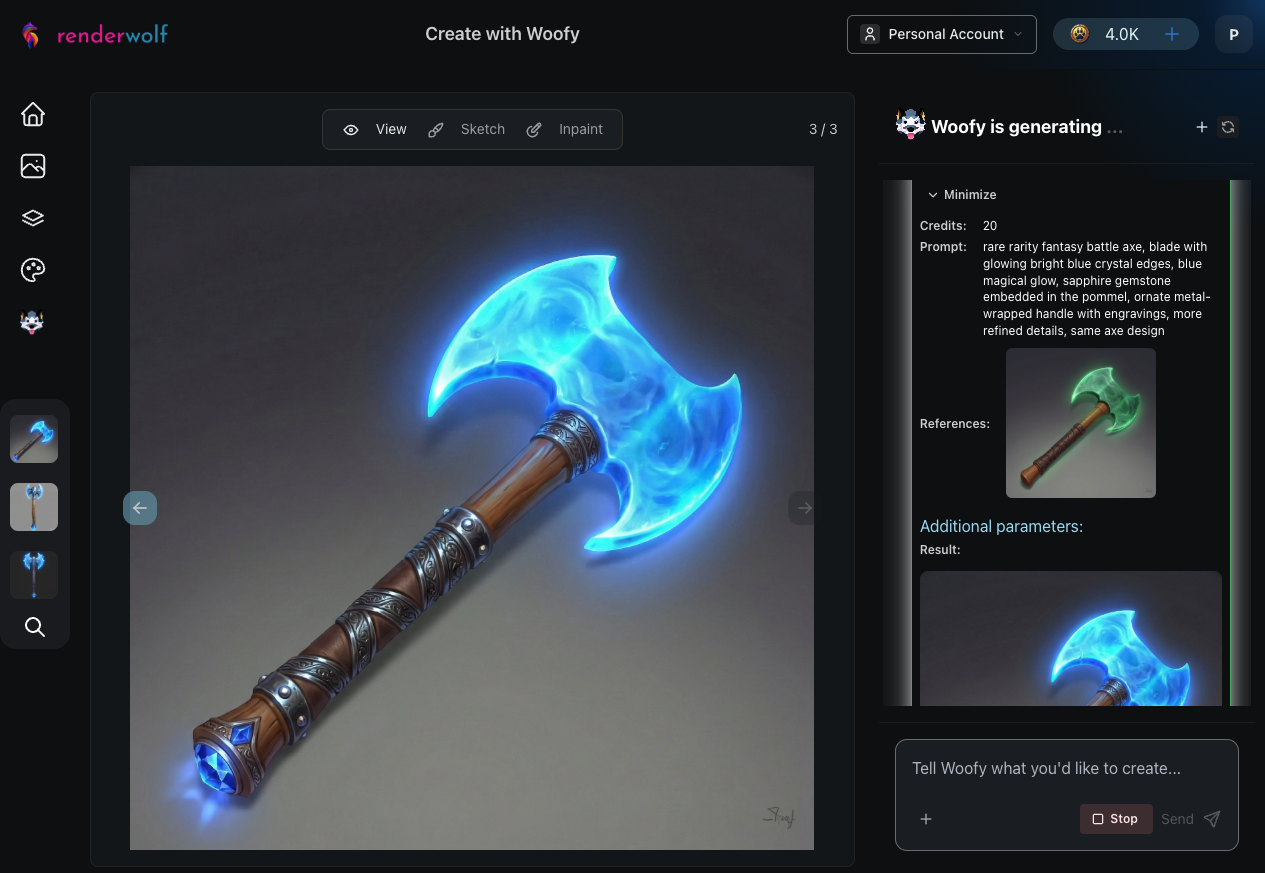
Rare: Glowing blue crystal edges with a sapphire gemstone set into the pommel. The handle gets another material upgrade to ornate metalwork. Now it's starting to look special.
Epic: Purple magical aura, arcane runes carved into the blade, floating particles around the weapon, and an amethyst gemstone. This is where the tier jumps from "nice weapon" to "this has power."
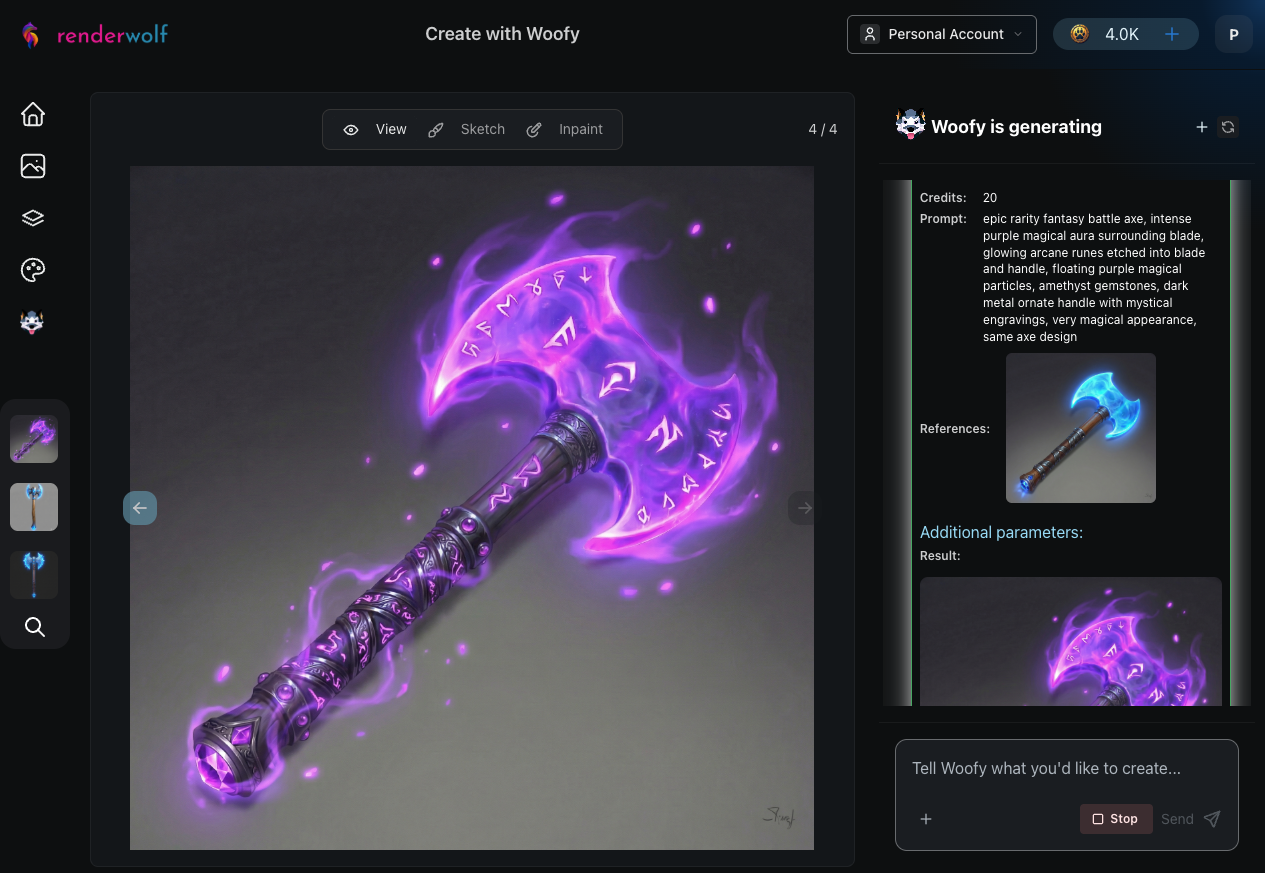
Legendary: The full spectacle. Golden blade, blazing golden energy radiating outward, diamonds embedded throughout, and a gold-wrapped handle. No question which tier this belongs to.
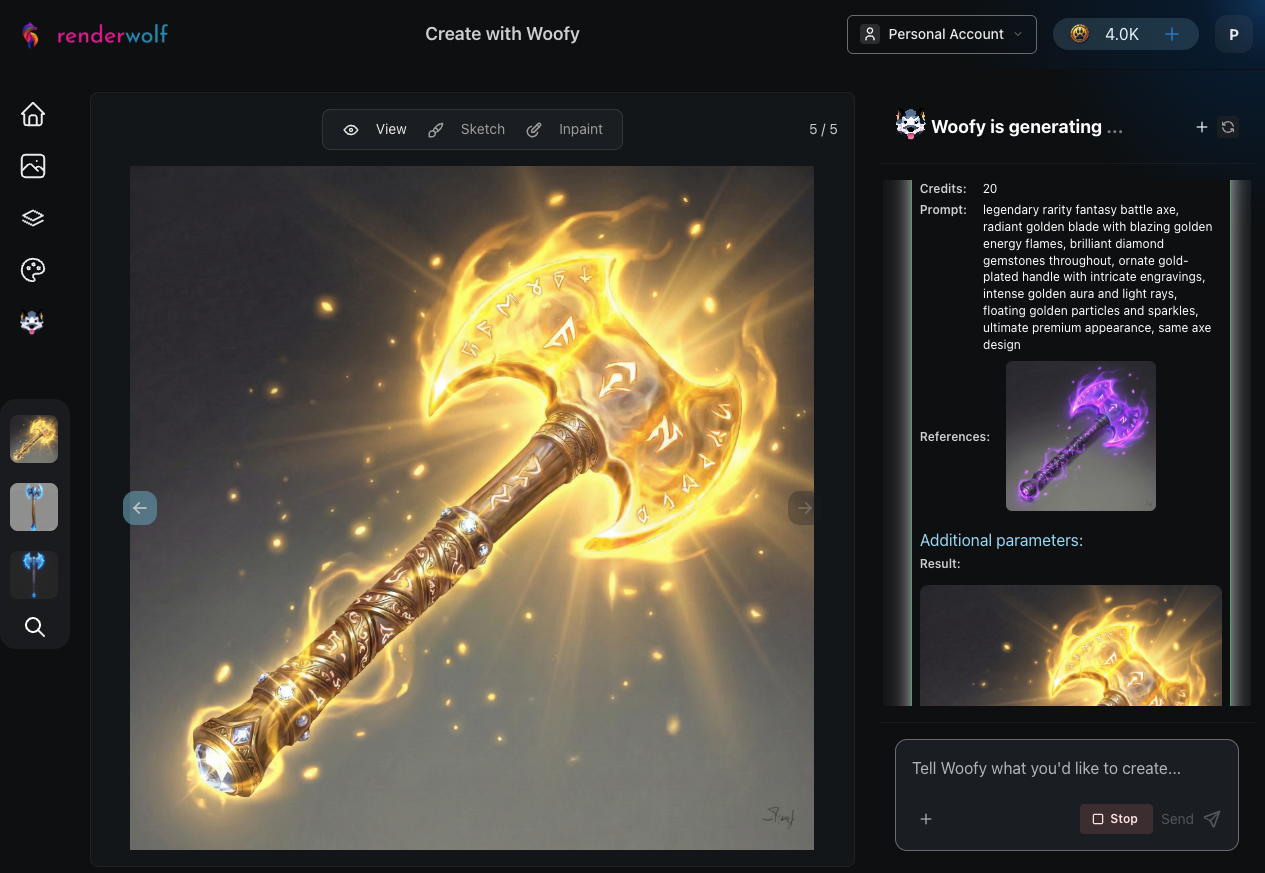
Each tier upgrade took about 30-40 seconds. Woofy handled the visual escalation on her own, making the jumps between tiers feel distinct and progressive without losing the axe's core shape.
With all five tiers generated, Woofy moved to the Background Remover, processing each axe to create clean transparent cutouts. This is exactly what a game engine pipeline needs: isolated assets with alpha channels, ready to drop into an inventory UI or loot popup.
Woofy processed all five axes through background removal automatically, one after another.
Finally, Woofy assembled all five transparent axes into a single grid using the Image Grid Generator, laying them out Common to Legendary so you can see the full visual progression at a glance.
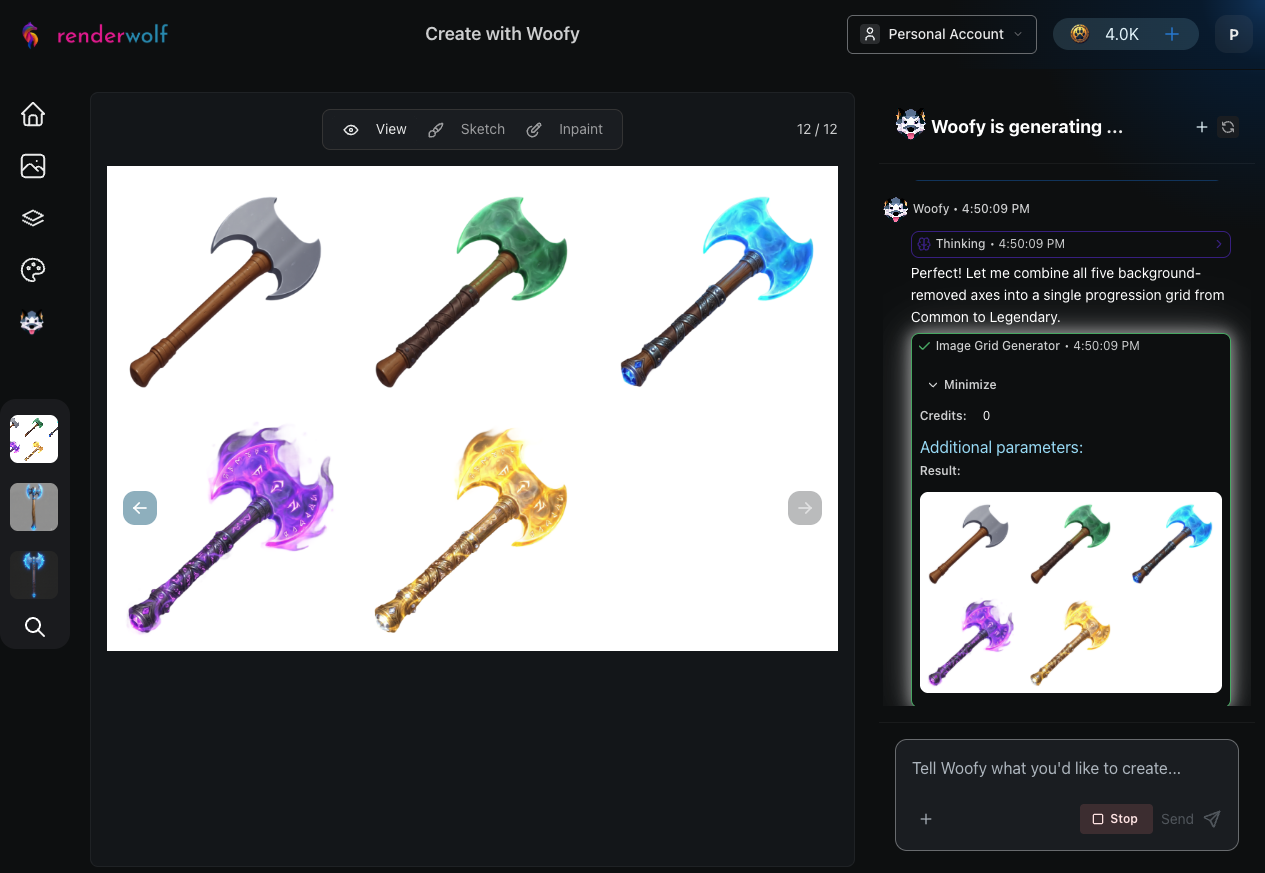
From a single conversation, Woofy produced:
Compare that to the traditional approach: 3-5 hours of artist time per weapon at $40-80/hour. For a game with 50 weapons across 5 rarity tiers, that's 150-250 hours of variation work. Woofy compresses each weapon's tier progression into under 15 minutes, freeing your artists to focus on designing the base concepts that actually need creative judgment.
Woofy understands visual escalation. Each tier was prompted for a step up in materials, glow, and particle complexity, following the same Common-to-Legendary language that players expect.
Quality checks are built in. After every generation, Woofy evaluated the result against the prompt. No manual review needed between tiers.
The base design stays consistent. Despite adding jade, crystals, runes, and blazing energy across four upgrades, the axe silhouette remained recognizable throughout. That's critical for item identity in a loot system.
Visit renderwolf.com and paste this prompt into a Woofy chat session:
"I need a fantasy battle axe in five rarity tiers. Start with a basic Common version -- plain steel, wooden handle, nothing fancy. Then make it progressively more premium: Uncommon gets a green jade tint and subtle glow. Handle also gets an upgrade from wood. Rare should have glowing blue crystal edges and a gemstone in the pommel and improved handle material. Epic needs to feel magical -- purple aura, arcane runes, floating particles. And Legendary goes all out -- gold, diamonds, blazing golden energy, the works. Remove all the backgrounds and line them up Common to Legendary so you can see the progression."
Swap "battle axe" for any weapon or equipment in your game. Adjust the tier descriptions to match your art direction. Woofy handles the execution.
Your artists have better things to do than manually layering glow effects on 250 weapon variants. Let Woofy handle the grind.